

 README

README

git-donkey 🐴
A Donkey Don to help you manage your local git branches/repositories.
Introduction:
git-donkey is a tool designed to help developers keep their local git branches synchronized with the remote repository. It automates the process of searching through your local repositories & show you the updates and push help push untracked changes to the remote repo. ensuring that your local & remote branch is always up-to-date.
🚀 Getting started
https://github.com/bupd/git-donkey/assets/89722848/52f90de7-a429-4d34-97bc-078b3ac223db
Prerequisites
Please make sure you installed golang.
👨💻 Installation
To install git-donkey, you need to have Go installed on your system. Then, follow these steps:
go install github.com/bupd/git-donkey@latest
🐧 Linux

Usage
Once installed, you can use git-donkey with the following command:
git-donkey scan
scan command scans all of your local directories for github repos.
💻 Technologies
- Golang
- cobra cli
- gogit
Contributing
Contributions are welcome! To contribute:
- Fork the repository.
- Create a new branch (
git checkout -b feature-branch). - Make your changes.
- Commit your changes (
git commit -am 'Add new feature'). - Push to the branch (
git push origin feature-branch). - Open a Pull Request. Please ensure that your code adheres to the project's coding standards and includes appropriate tests.
License
This project is licensed under the MIT License. See the LICENSE file for details.
Documentations that might help
📝 How to create a Pull Request
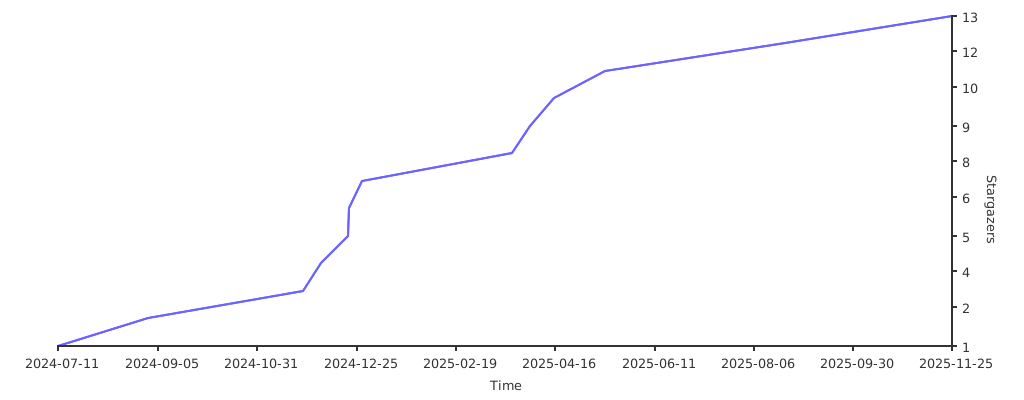
Stargazers over time
 Documentation

Documentation


There is no documentation for this package.
 Source Files
 Directories